All resources

How to Write Brand Guidelines for Noble

Delia Rowland

July 7, 2026

3

minutes read

How-to

TL;DR: Noble can represent your brand using just your website, but a short brand guidelines doc built for Noble makes every mention better. The sharper your doc, the more accurately Noble drafts your copy the first time... which means less review for you, faster mentions going live, and AI visibility that moves sooner. Copy the template below, fill it in, and upload it in Brand Settings.

In this post

  • The 5 things that should go in your brand doc
  • The mistakes that slow you down
  • Where to upload it in Noble
  • What to do when your brand changes
  • The better your doc, the better Noble works for you

The 5 things that should go in your brand doc

A useful brand doc is ready-to-use copy plus a few hard rules. That's it. The goal is to give Noble everything it needs to represent you accurately when it drafts your placements.

Five things make a doc genuinely useful. Each one below is illustrated with a fictional example brand, BestB2B, a customer onboarding platform, so you can see what good looks like.

  1. Blurbs in a few different lengths

A tight listicle needs one sentence. An in-depth roundup or sponsored section needs a full paragraph. If you only give Noble one version of your description, it has to stretch or trim it to fit, and that's where drift creeps in. When you hand over a few lengths, each labeled by where it gets used, there’s no guesswork for us. 

  1. One descriptor, locked (and the words to avoid)

This is the highest-leverage line in the whole doc. Pick the exact phrase you want to be known by, and name the words you don't want used. "BestB2B is a customer onboarding platform, not a project management tool." That’s how we can maintain consistency across your brand presence. 

  1. A feature list for roundups

Some placements call out specific capabilities. Give Noble a clean, scannable list of your features in your language, so a comparison article describes what you do accurately instead of paraphrasing from a cached version of your site.

  1. Boilerplate for bios and "about" sections

Author bios, "about the sponsor" blurbs, and press mentions all need a standard paragraph. Write it once. It also keeps your description identical across every placement that uses it, which is exactly the repetition models pick up on.

  1. Usage notes: the small rules that save you review time

These are the details a human would intuit and a drafting process needs spelled out: link your brand name on first mention, approved CTA language, how to handle pricing or guarantees if they come up. 

Put together, here's what that looks like for BestB2B:

Example brand doc

BestB2B — Brand Guidelines for Noble

Micro~35 words

For tight listicles, directory entries, one-line mentions

BestB2B is a customer onboarding platform for B2B software teams. It turns signed contracts into live customers by automating kickoff, task tracking, and customer communication in one shared workspace.

Short~55 words

For "best tools" roundups, content swaps, brief partner mentions

BestB2B is a customer onboarding platform for B2B software teams. It replaces the spreadsheets and scattered email threads that slow down implementation with one workspace that tracks every onboarding task, automates customer follow-ups, and flags at-risk accounts before they stall. Teams use BestB2B to get new customers to first value faster, without adding headcount.

Medium~140 words

For in-depth roundups, sponsored content, guest-post mentions

BestB2B is a customer onboarding platform for B2B software teams. It sits between your sales handoff and your customer success motion, giving implementation teams one place to plan, track, and automate every step of getting a new customer live.

Once a deal closes, BestB2B builds an onboarding plan from your templates, assigns tasks across your team and the customer's, and sends automated reminders so nothing stalls. Built-in health signals flag accounts that are falling behind, so your team can step in before an onboarding turns into a churn risk.

Key capabilities include templated onboarding plans, shared customer portals, automated reminders, milestone and health tracking, and reporting that ties time-to-value to revenue. BestB2B connects with the CRM, support, and messaging tools your team already uses, and scales from your first ten customers to your ten-thousandth.

For roundups that call out specific capabilities

  • Templated Onboarding Plans — build repeatable plans from your best implementations and launch in one click
  • Shared Customer Portal — one view of every onboarding task, owner, and deadline for the customer
  • Automated Reminders & Updates — nudge customers and internal owners so handoffs don't stall
  • Health & Milestone Tracking — surface at-risk accounts before they slip toward churn
  • Time-to-Value Reporting — tie onboarding speed to revenue and renewal outcomes
  • Native Integrations — connects with Salesforce, HubSpot, Zendesk, and Slack

For author bios, "about the sponsor," press mentions

BestB2B is the customer onboarding platform for B2B software teams. From signed contract to live customer, BestB2B automates onboarding plans, customer communication, and health tracking in one workspace, so teams get new customers to value faster without scaling headcount. Learn more at bestb2b.com.

  • Link "BestB2B" to bestb2b.com on first mention when possible.
  • Preferred descriptor: customer onboarding platform for B2B software teams. Avoid "project management tool," "CRM," or "task manager."
  • Approved CTA language: "Learn more at bestb2b.com" or "See how BestB2B speeds up onboarding at bestb2b.com."
  • For placements that mention pricing: confirm current pricing before publishing.

You don't have to start from a blank page. Copy our blank brand guidelines template, fill in each field for your own brand, and you'll have a doc Noble can use in about twenty minutes. The format above is modeled on the kind of brand doc that's worked well for real clients in practice.

The mistakes that slow you down

Even with the template in hand, a few patterns trip people up. Most weak brand docs fail in one of three predictable ways:

  1. The vague one-liner. "BestB2B helps teams work better." There's nothing specific for Noble to place, so drafts come back generic and you end up rewriting them anyway.
  2. The 40-page brand bible. Plenty of rules, but no usable copy. Length isn't the goal, clarity should be. 
  3. Inconsistent descriptors. You call yourself a "platform" in one place and a "solution" in another. If both are how you represent the brand, that’s fine, but consistency is usually better. 

Where to upload it in Noble

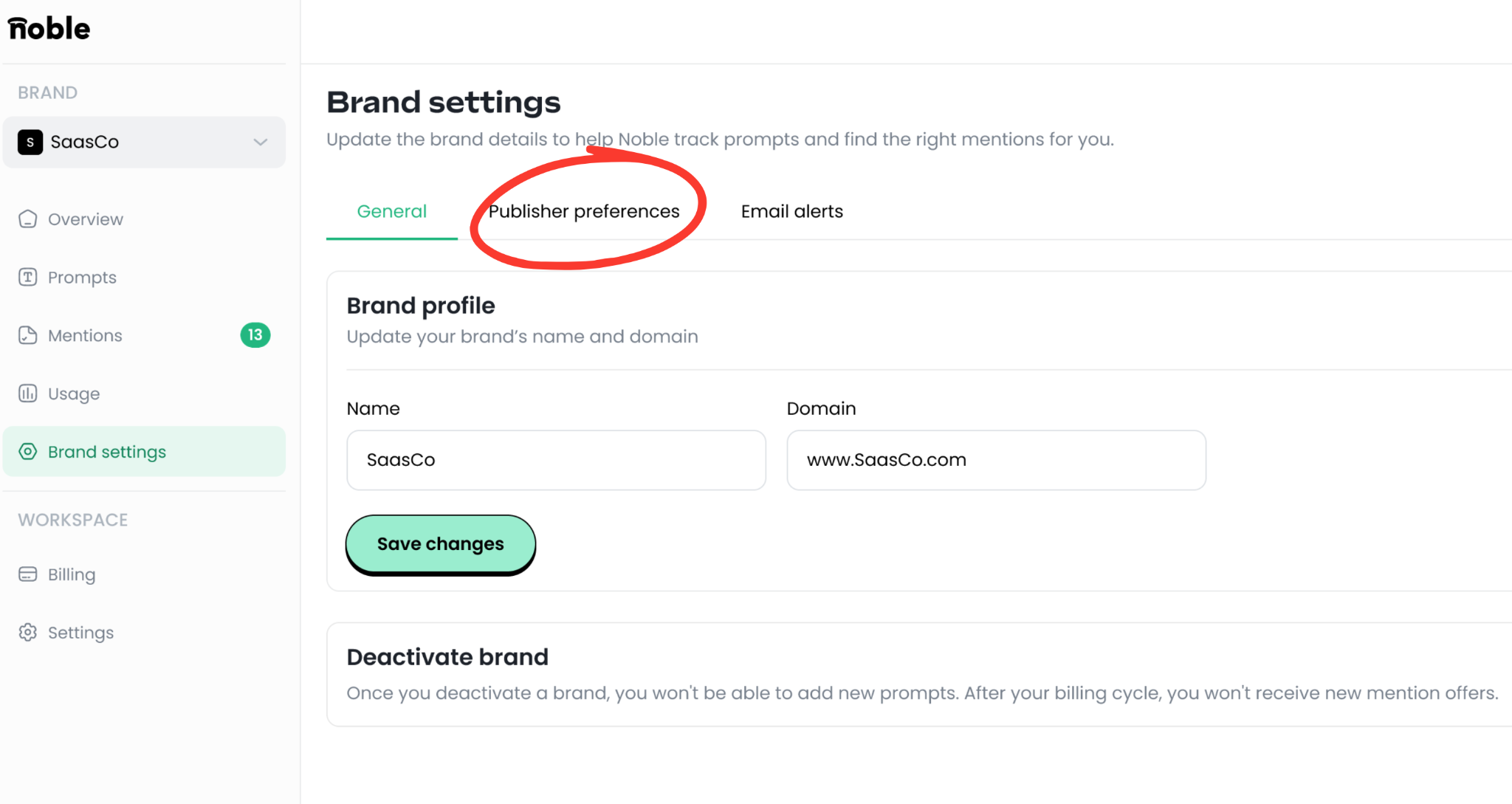
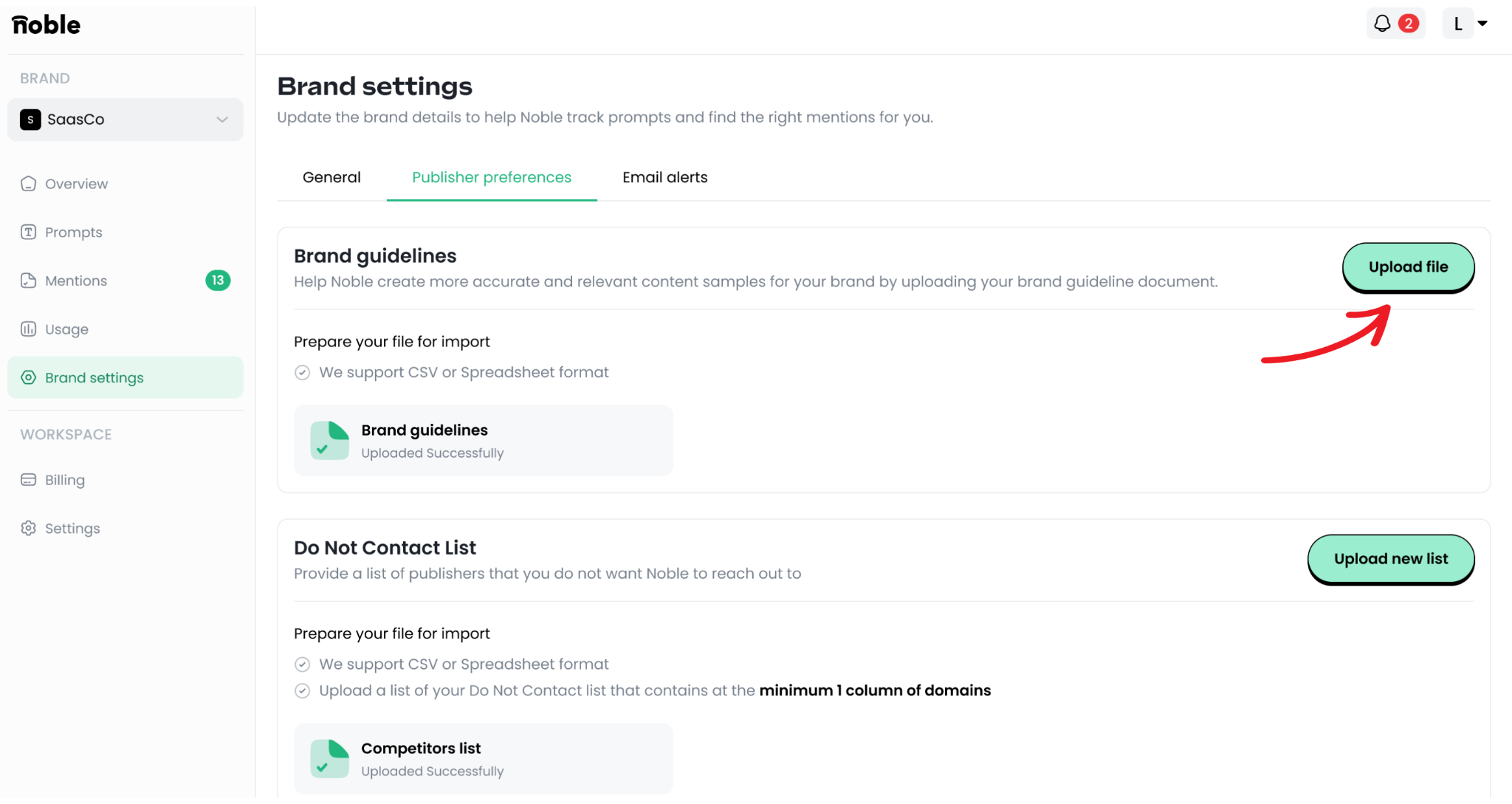
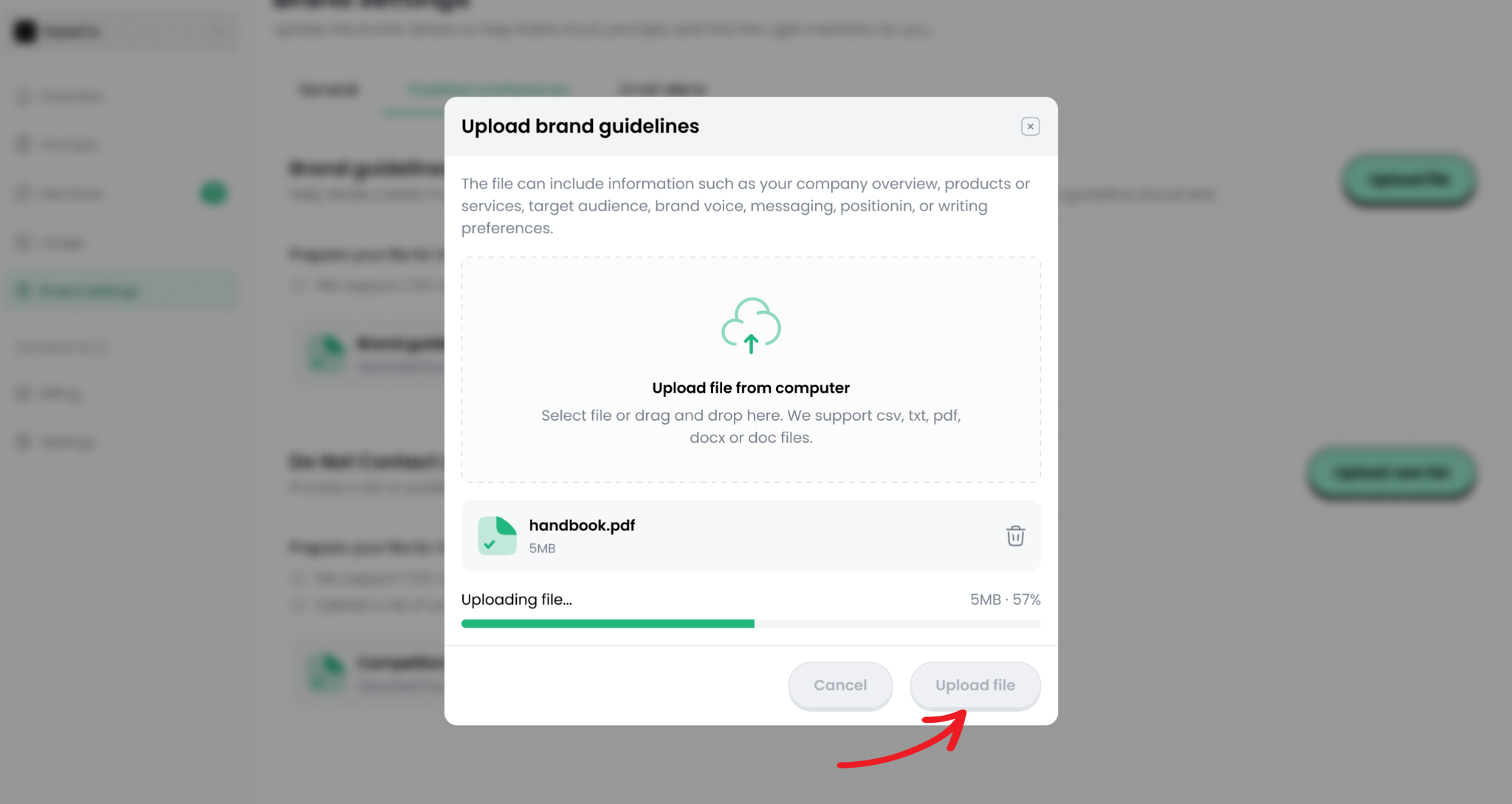
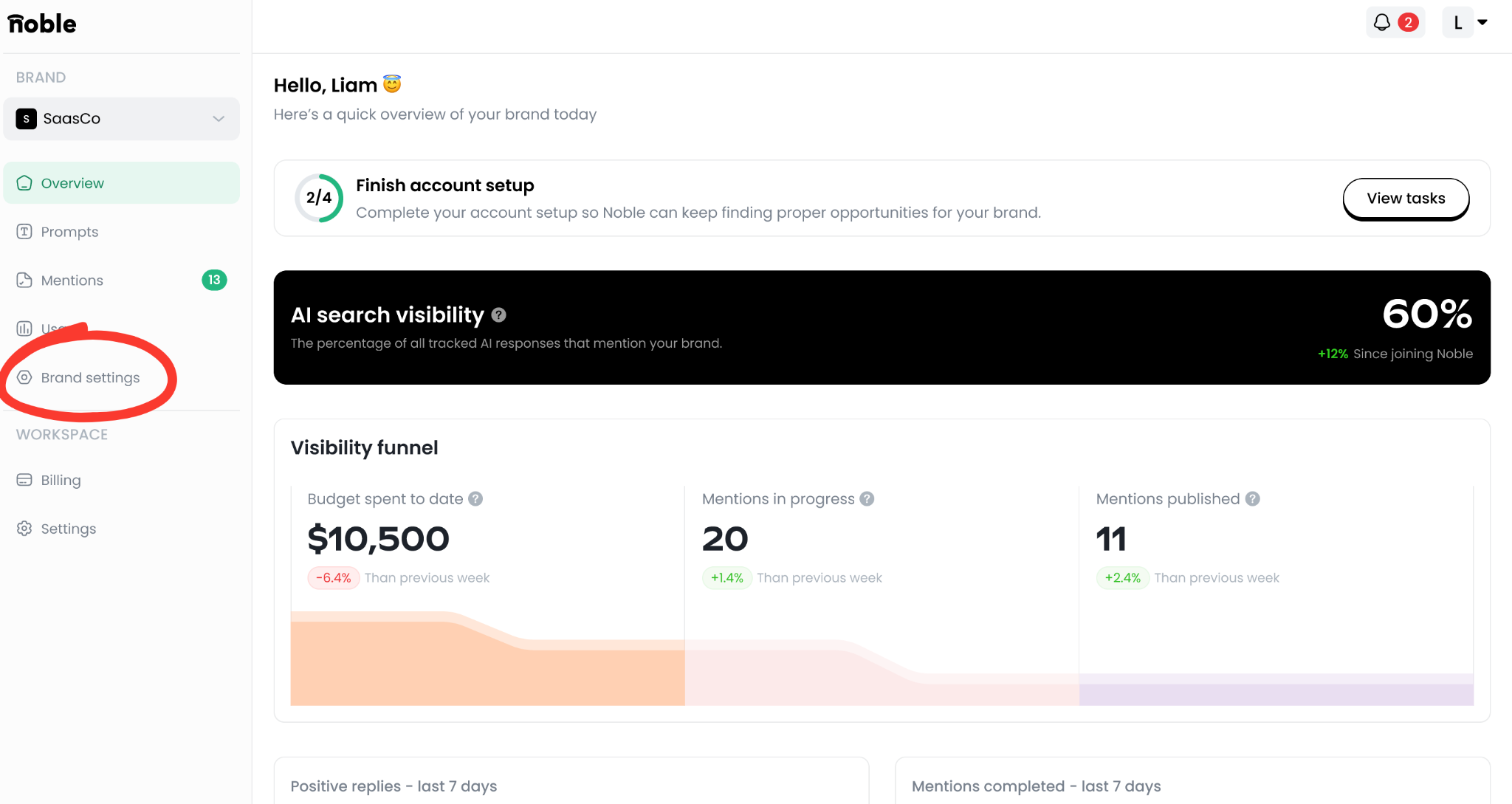
With the doc written, the last step is getting it into Noble. It lives in Brand Settings, which you'll find on the left hand side of your Noble dashboard. Once you click in, navigate to “Publisher Preferences” and there you’ll see a button to upload your brand guidelines. 

Watch our tutorial here: https://youtu.be/dhrJd8rDDuA

Or follow via the step-by-step screenshots noted below: 
What to do when your brand changes

The right move depends on what's actually changing.

If your messaging shifts, as in new positioning, a revised descriptor, updated pricing, then just update the doc and re-upload. 

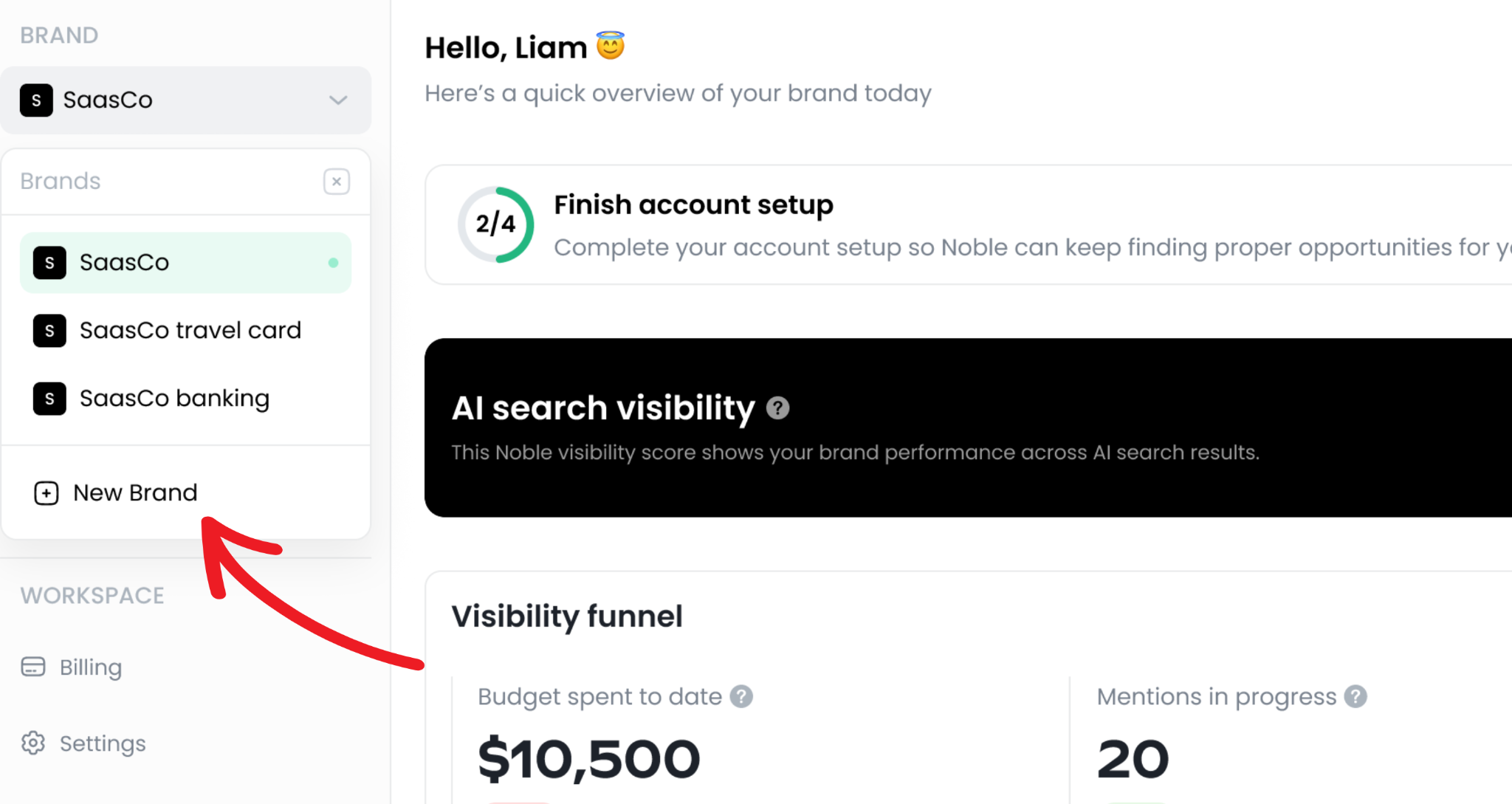
If you're launching a genuinely new product, set it up as its own brand in Noble rather than bolting it onto your existing doc. That mirrors how Noble's workspace model is actually built, and it keeps each product's mentions clean and separately tracked.

You can easily create a new brand by pressing the drop down button where the name of your brand is on the top left of your dashboard and clicking “New Brand.”
And if you want to update mentions that are already live on publisher sites, that's what a Mention Refresh is for. Noble goes back to the existing cited content and works with the publisher to update it, so your live placements reflect your current messaging. 

The better your doc, the better Noble works for you

A strong brand doc is the difference between having to make the same changes on each mention and letting us do all of the work for you. You don’t have to worry about approving everything, your mentions go live sooner, and your brand starts showing up in AI answers.

The other critical step? Finding, uploading and culling the right prompts. Check out our blog with everything you need to know about prompts.  

Let’s win AI search

GET DISCOVERED ON